
 Go to live demo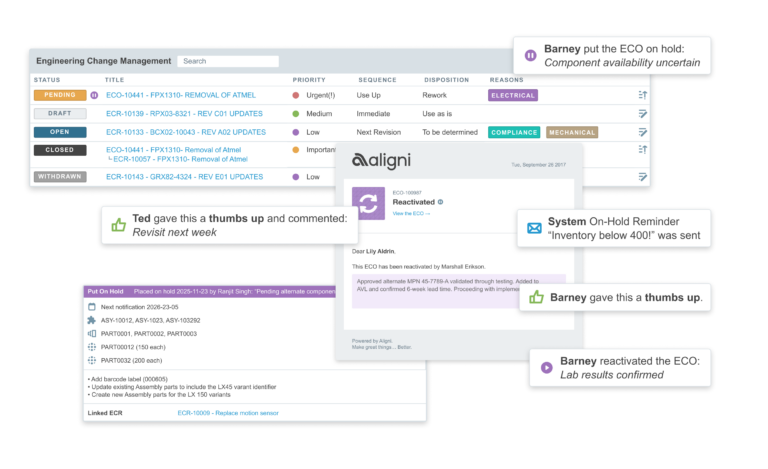
Managing Engineering Changes and Quality Over Time
Engineering changes rarely happen in isolation.
A part may be nearing end of life. Inventory is still on the shelf. Production cannot simply stop. Procurement has open orders. And the change itself may depend on outside factors that take weeks to resolve.
We built this round of updates after seeing how often teams needed to pause changes midstream without losing visibility or traceability.
These improvements reflect how engineering change management actually works in the real world. Not in a straight line. Not in a single approval meeting. But gradually, across teams, and over time.
This release introduces two key capabilities:
- The ability to place ECRs and ECOs On Hold
- Workflow Notes that surface change context directly inside purchasing and production
Together, they help teams manage change deliberately instead of reactively.
ECO and ECR On Hold
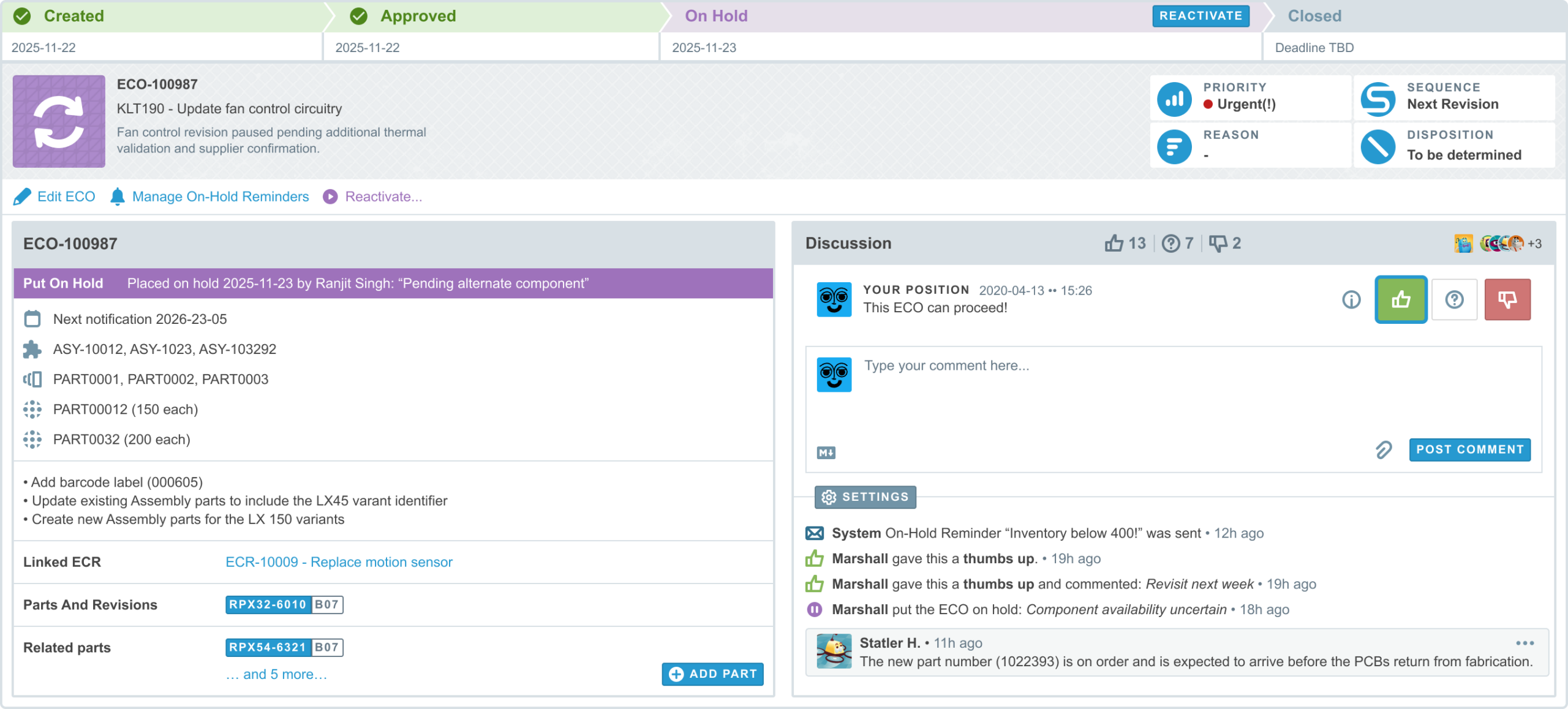
Engineering changes do not always move in a straight line. Sometimes more data is needed. Sometimes timing shifts. Sometimes external dependencies must resolve first. ECRs and ECOs can now be placed On Hold while preserving full visibility and traceability.
How It Works
- Any active ECR or ECO can be placed on hold
- The system remembers the prior workflow state for clean reactivation
- A reason can be entered when placing a change on hold or reactivating it
- An activity record is automatically created
- All participants are notified
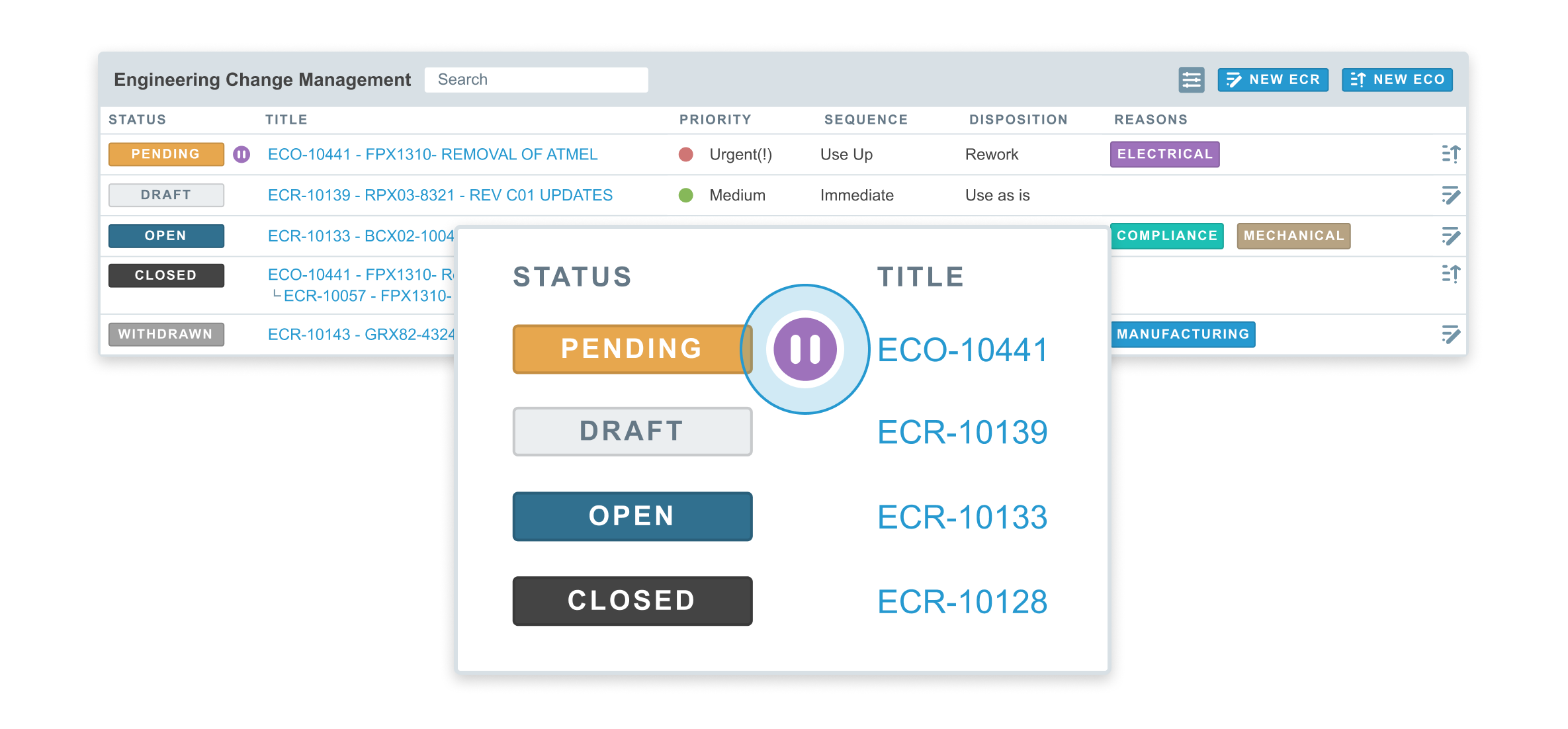
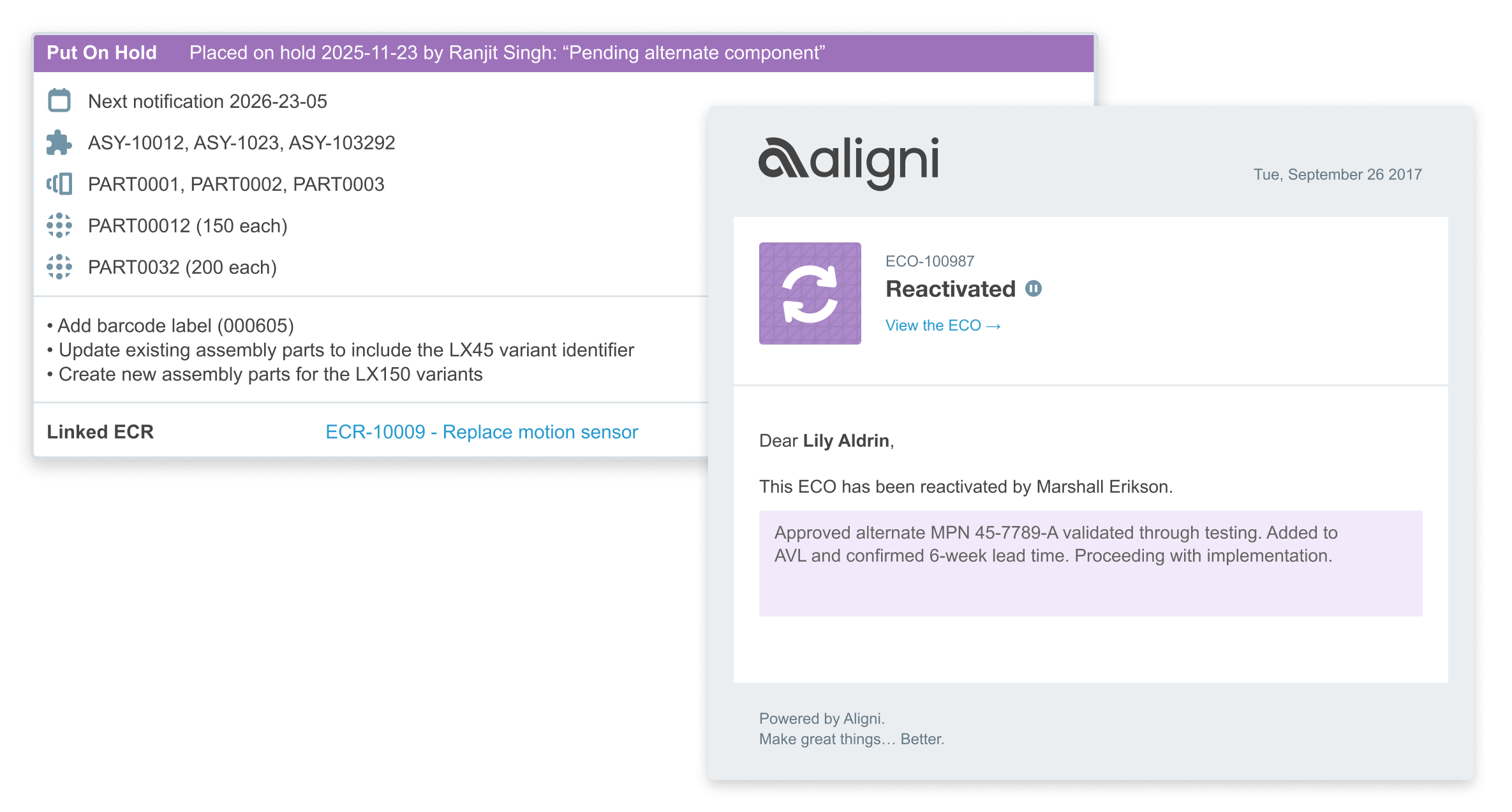
While an ECx is on hold, actions are intentionally limited. Editing, reminder management, and reactivation remain available. Other workflow actions are paused. The goal is simple: pause when needed, without losing momentum or oversight. On Hold status is clearly visible:
- In dashboards and revision tables
- In the ECx detail view
- With a pause indicator next to the status label
For technical documentation, visit our documentation→
On Hold Reminders
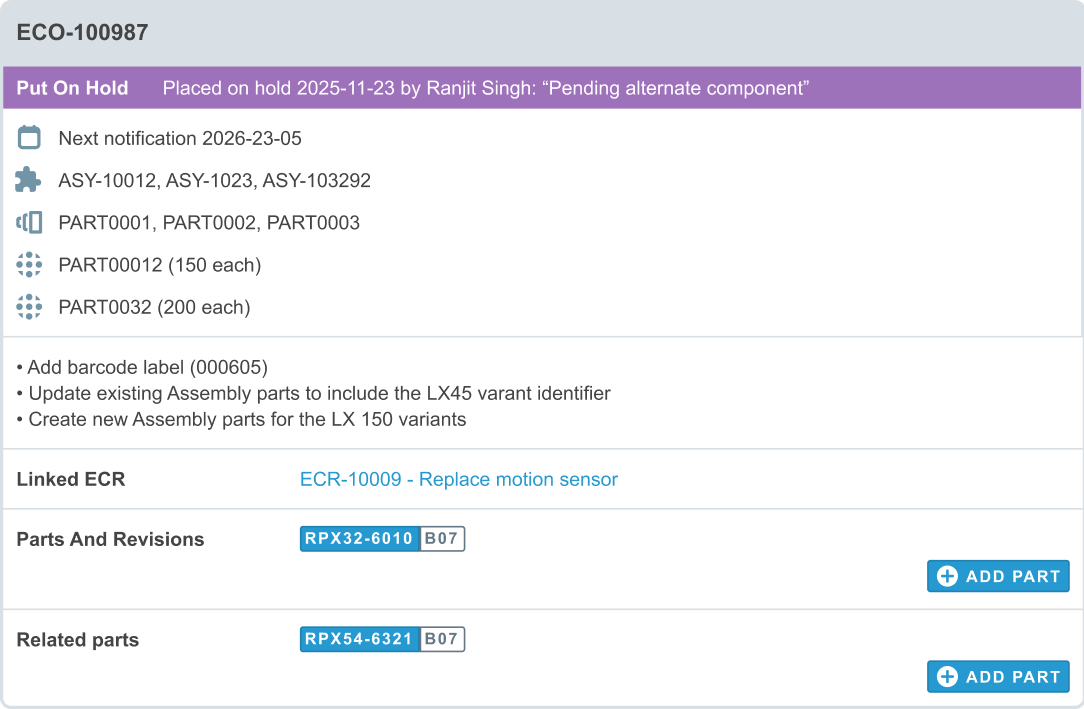
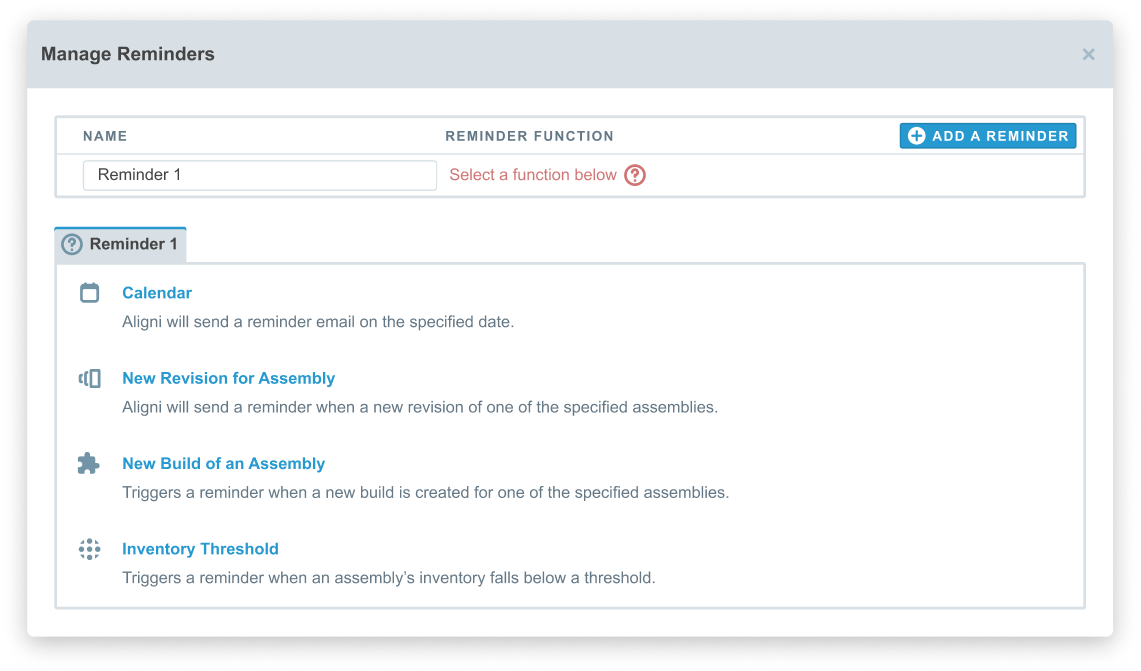
Putting a change on hold should not mean forgetting about it. Teams can now create reminders directly within the ECx to track timing-based follow-ups or dependency checks. When a reminder triggers:
- Participants receive an email notification
- The reminder type and message are included
- An activity record is logged on the ECx
Reminders are configurable, editable, and removable by participants. They add structure to changes that unfold gradually rather than in a single review cycle.
For technical documentation, visit our documentation→
Workflow Notes: Carrying Context Beyond Engineering
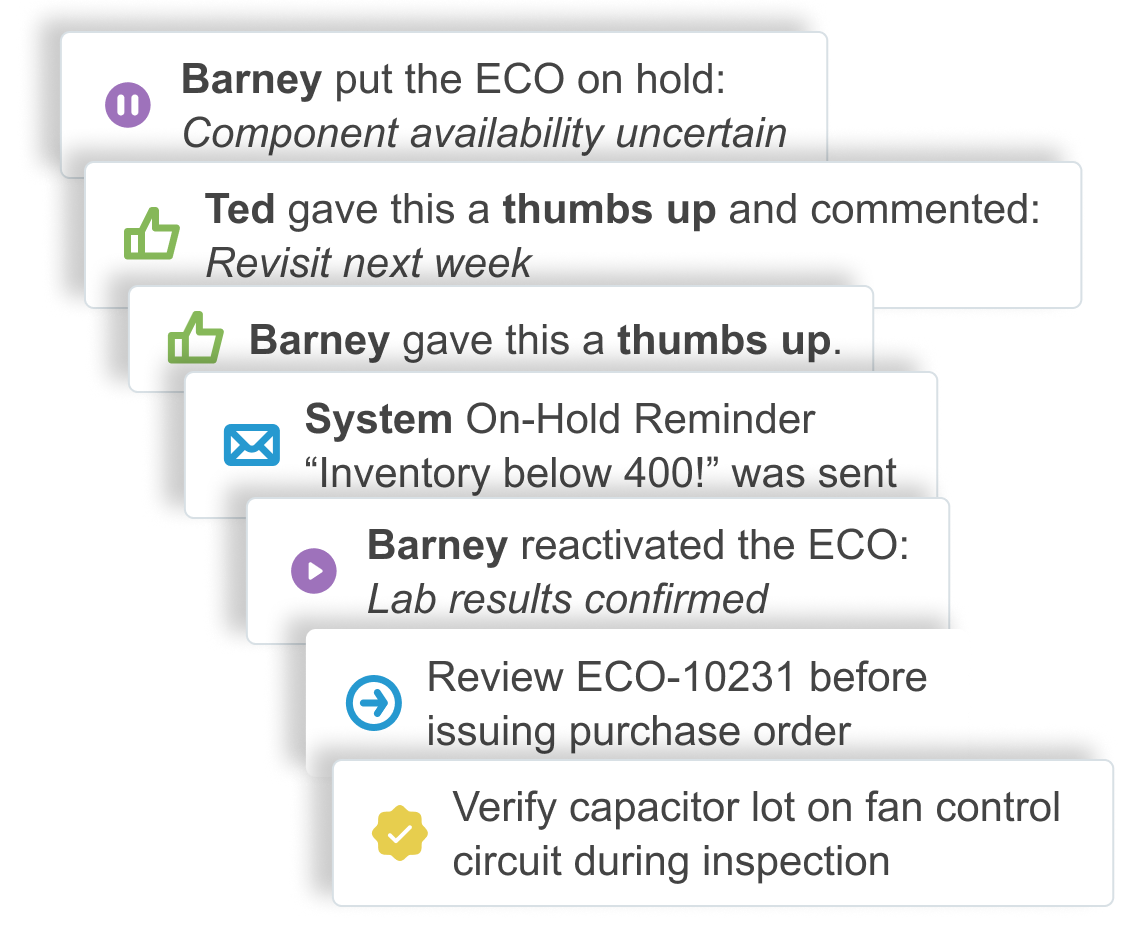
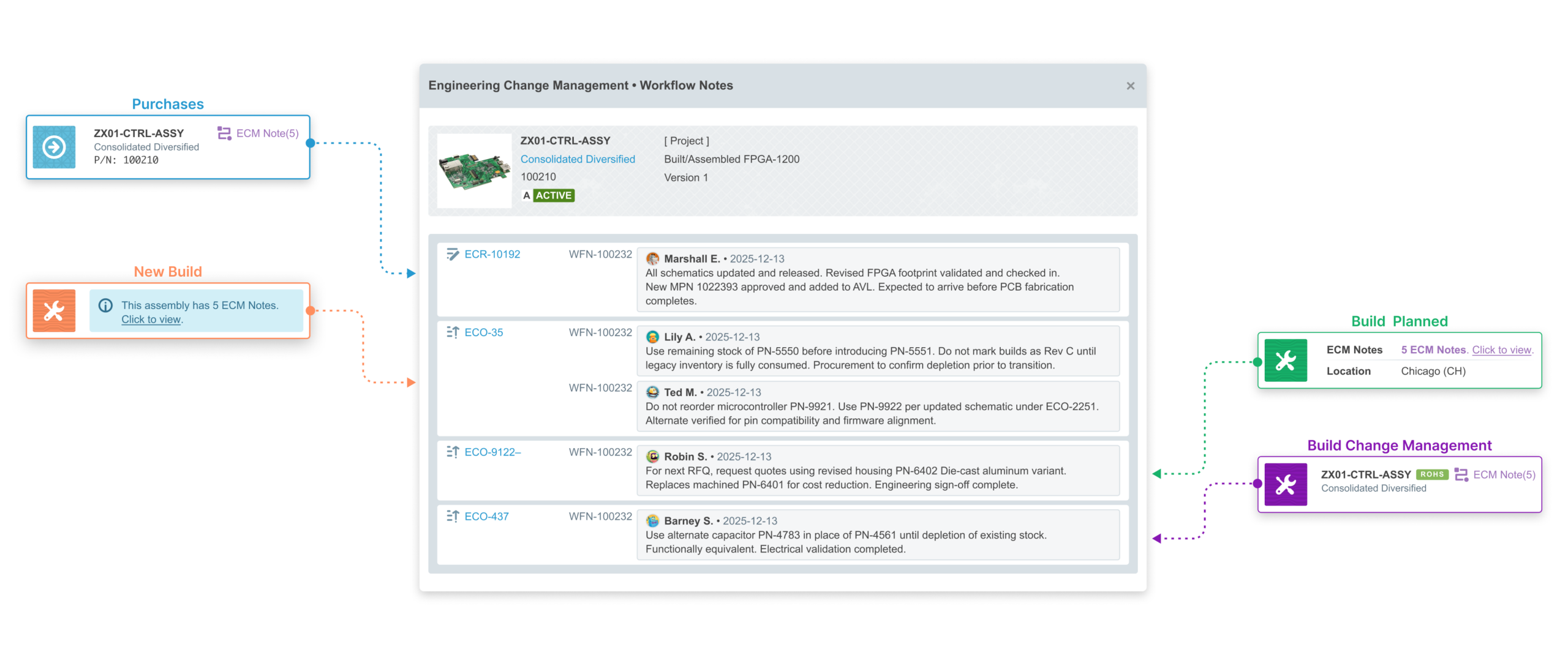
Engineering changes often extend beyond engineering. Procurement may need to plan inventory depletion. Production may need visibility into an upcoming part transition. Without context embedded directly in the workflow, those decisions become fragmented. Workflow Notes are designed to solve that. Notes can be added to any active ECR or ECO and appear directly inside purchasing and build workflows.
For technical documentation, visit our documentation→
Procurement Notes
Procurement-type notes appear on:
- RFQs
- Purchase Orders
They flag items tied to an active engineering change and can include optional context for buyers. This ensures purchasing understands change implications before issuing orders.
Production Notes
Production-type notes appear inside:
- Build creation
- Build details
- Component views
If an assembly or component is tied to an active engineering change, that context surfaces directly within the build interface. If no notes exist, nothing is displayed. The interface stays clean until the information actually matters.
Designed for Relevance
Workflow Notes only surface while the associated engineering change is active, including when it is on hold. Once the change is closed, notes no longer appear in purchasing or production workflows. However, the notes remain part of the ECx record itself. Teams can revisit past changes and understand how they were managed over time.
Quality Control Memos: Preserving Quality Context Across Time
Production builds rarely begin and end in the same week. Procurement lead times, staged assembly, and coordination across teams can stretch production over months. During that time, important quality-related decisions are made—approved substitutions, customer-specific requirements, special handling instructions, known sensitivities. By the time a Quality Control Record is created, that context may no longer be top of mind. Quality Control Memos are designed to close that temporal gap. They allow teams to document quality-relevant information at the point of knowledge and ensure it surfaces automatically at the point of inspection.
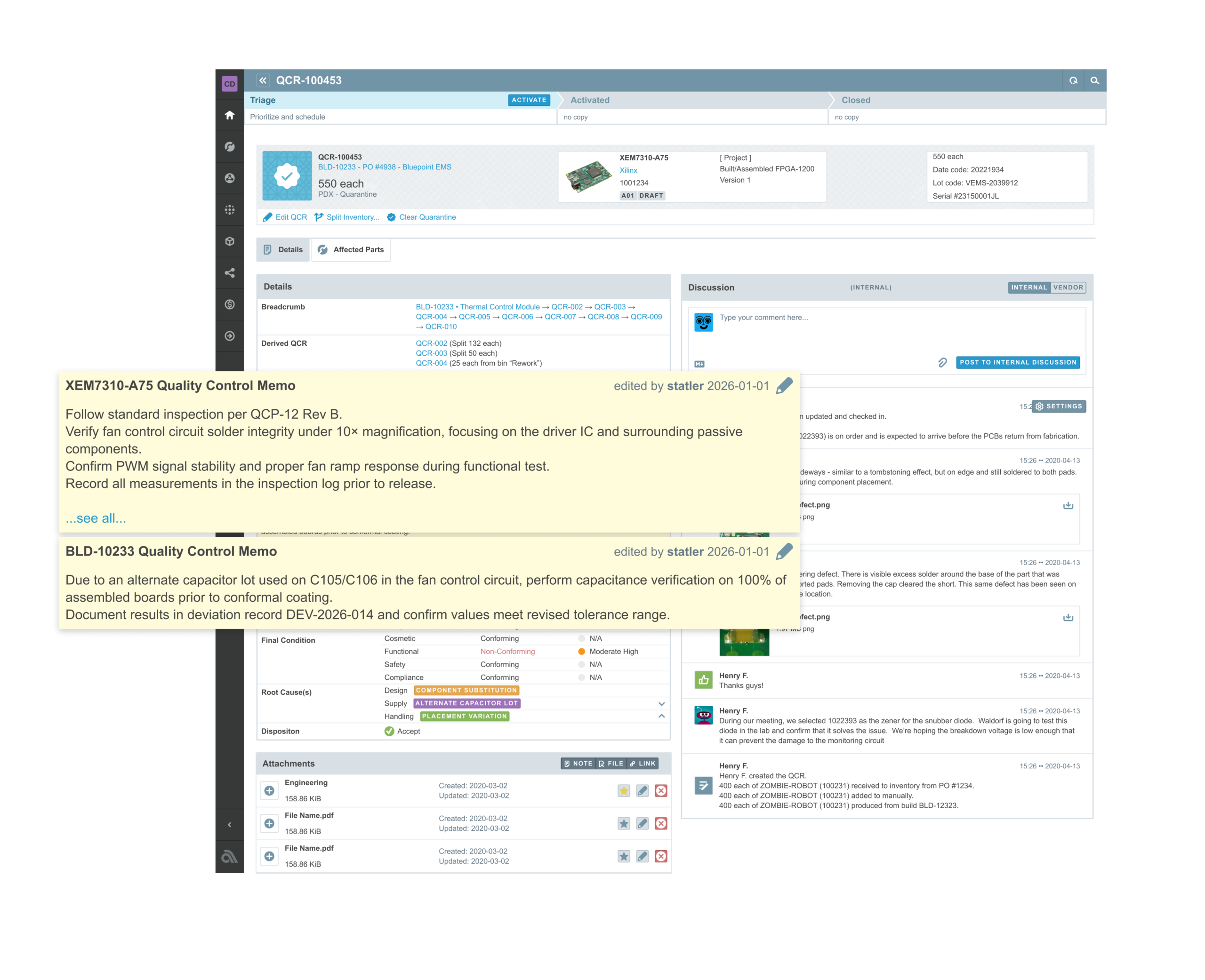
Two Types of Quality Control Memos
Quality Control Memos exist in two forms, each serving a different purpose.
Item-Level Memos
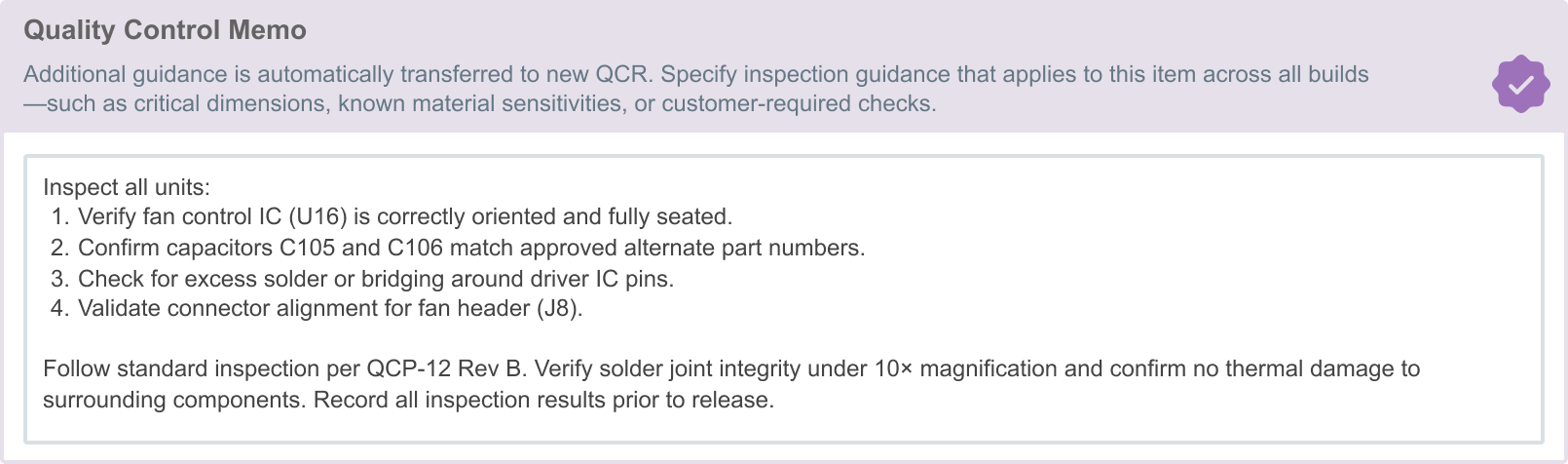
An Item Memo defines standing quality instructions that apply to an item across all future inspections. These are useful for:
- Known sensitivities
- Critical tolerances
- Customer-mandated checks
- Recurring inspection requirements
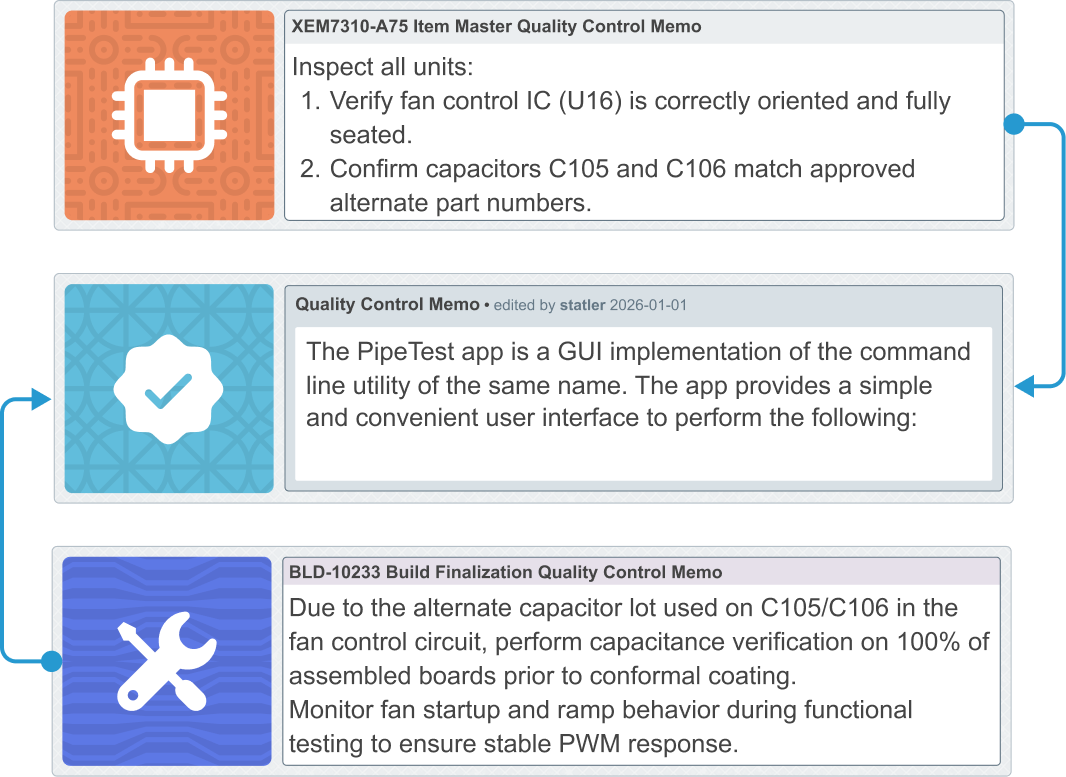
When any QCR is created for that item—whether from receiving, transfer, or build—the memo is automatically copied into the new record. Only one Item Memo may exist per part revision, ensuring clarity and avoiding conflicting instructions.
Build-Level Memos
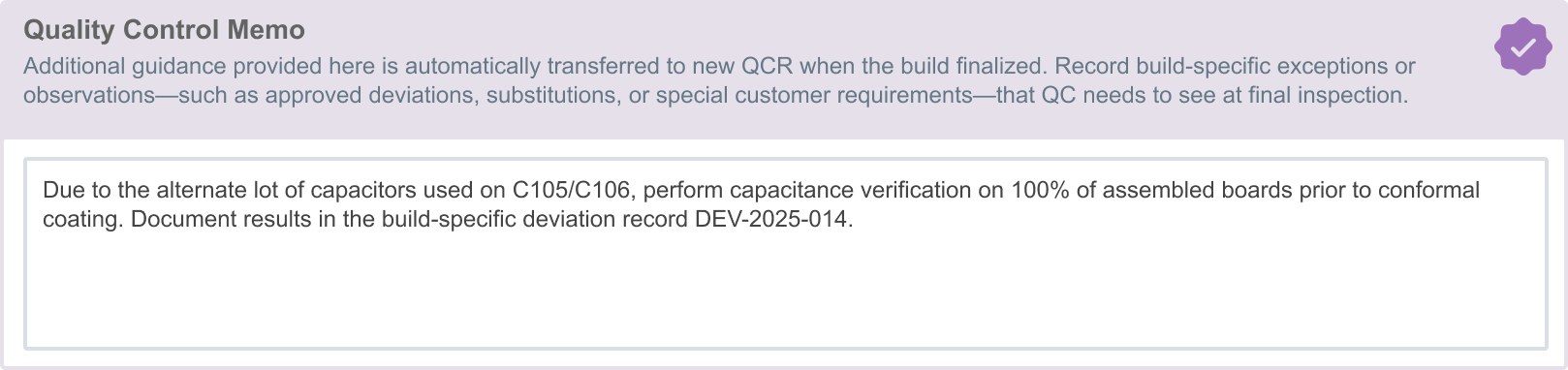
A Build Memo captures context specific to a single production run. It is authored during build finalization and becomes part of that build’s quality story. When a QCR is created from the build:
- The memo is copied into the QCR
- If the QCR is split, child QCRs inherit copies
- The original build memo remains preserved for audit purposes
After build finalization, the memo cannot be edited on the build itself. However, the working copy inside the QCR can be edited independently.
Designed for Traceability
Both memo types operate as snapshots. When a QCR is created, the relevant memo content is copied into the record. Edits made within the QCR affect only that specific inspection record. The original memo on the build or item remains preserved. This design:
- Prevents retroactive alteration of historical context
- Maintains audit integrity
- Ensures inspection teams always see the relevant quality guidance
If no memo exists, no additional interface elements appear. The system remains clean until context is required.
Why This Matters
Engineering change management is rarely about a single approval. It is about coordination across engineering, procurement, and production. With On Hold controls and Workflow Notes, teams can:
- Pause changes intentionally
- Document reasoning
- Notify collaborators
- Surface context where work is actually performed
These updates reflect how engineering changes actually unfold — across teams, over time, and with shifting priorities. Change should not feel chaotic. It should feel controlled, visible, and intentional.
For technical documentation, visit our documentation→