

 Go to live demo
A More Consistent Way to Find What You Need
Search plays a central role in how teams move through their work in Aligni. As records grow and workflows become more interconnected, being able to find the right information quickly, without breaking focus, matters more than ever.
We recently rolled out an update to Quick Search designed to make search easier to access, more consistent across the platform, and better suited to how people actually work day to day. This update consolidates several older search entry points into a single, more capable experience that is always available when you need it.
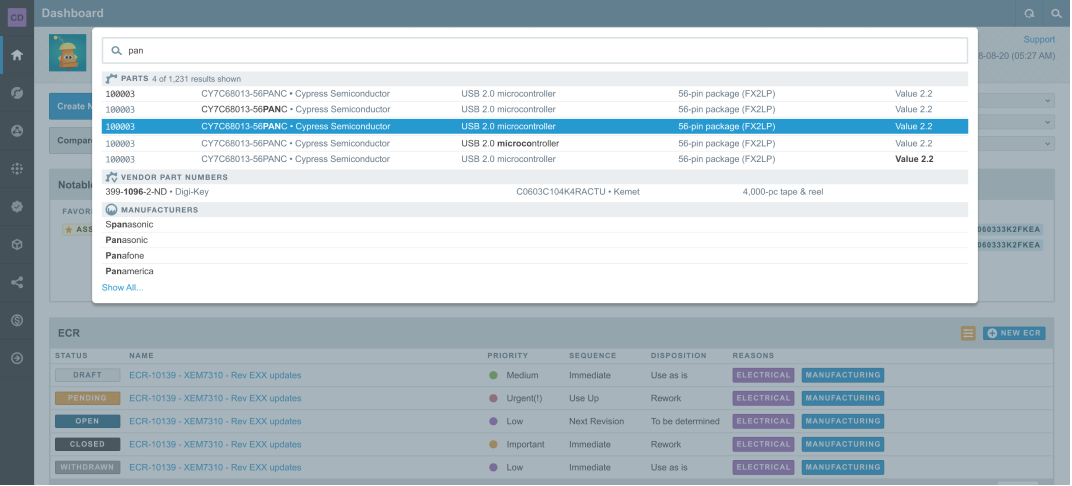
One Search, Available Everywhere
Conversations don’t have to live outside the work. With DiscussAnything, comments and notes stay tied directly to the parts, builds, and processes they reference.
Quick Search is now consistently accessible from anywhere in Aligni. You can open it at any time by:
- Pressing the “/” (front slash) key
- Clicking the magnifying glass in the top-right corner of the interface
By standardizing access to search across all pages, Quick Search delivers the same results and capabilities no matter where you start. This removes the guesswork of deciding which search field to use and ensures a predictable experience throughout the application.
The goal is simple: one search, one place, always available.

Why Some Search Fields Were Removed
As part of this update, we removed a few older and redundant search entry fields, including those previously found on the engineering dashboard and the lightweight home page.
These entry points were limited in scope and duplicated functionality that Quick Search already provides more effectively. Maintaining multiple search paths also meant inconsistent results depending on where a search was initiated.
With Quick Search now available globally, those fields were no longer necessary. Consolidating search helps keep the interface focused while ensuring everyone has access to the same, more comprehensive results.
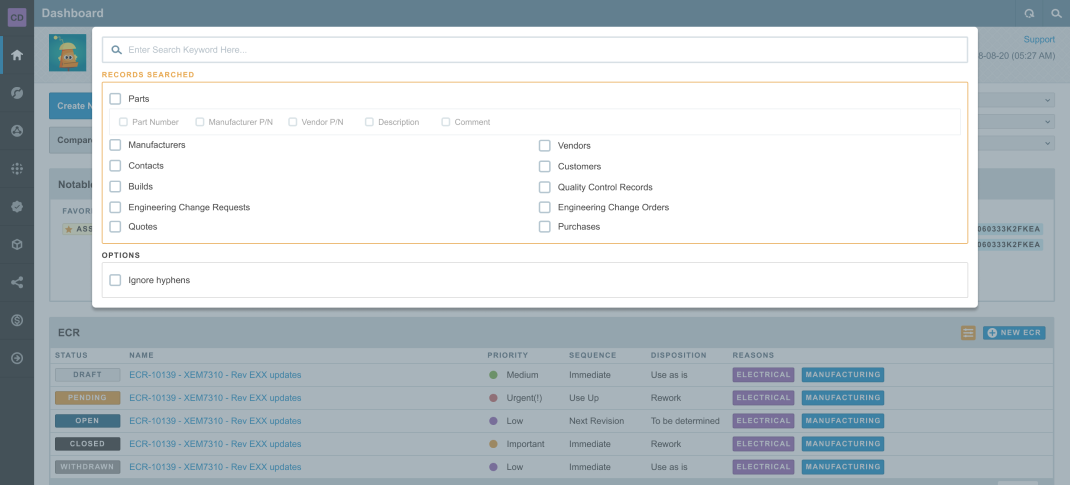
Filtering and Result Improvements Are Ongoing
Quick Search filtering and result ranking are designed to improve over time as we continue refining how information is surfaced across Aligni.
Our focus is on:
- Presenting results in a clear, scannable format
- Prioritizing the most relevant records for common workflows
- Making it faster to act once you’ve found what you need
As Quick Search evolves, improvements to filtering, relevance, and presentation build on this foundation, ensuring search continues to scale with your data and workflows.
About Hotkeys
The supported hotkey for Quick Search has always been the “/” key, which follows a common interaction pattern used across many applications.
Some users discovered and relied on other shortcuts such as “S” or Ctrl + S. These are no longer supported as part of this update. While we understand this change may take some adjustment, standardizing around a single shortcut improves consistency and reduces confusion long term.
If you remember one thing:
Press “/” to search from anywhere in Aligni.

Built to Stay Out of the Way
This update is about access and consistency. By removing outdated entry fields and relying on a single global search surface, Quick Search stays available without taking up valuable screen space or interrupting your workflow.
As search continues to mature, having one consistent foundation ensures improvements reach everyone immediately.